
Dynamic Designer Motion
Motion Simulation embedded in Solid Edge
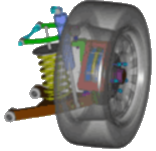
If you have Solid Edge, you have Dynamic Designer Simply Motion
Upgrade Simply Motion to include more advanced capability
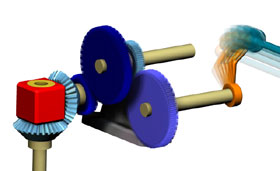 See
mechanisms containing cams, gears, latches, chains, etc. move and
plot basic engineering data.
See
mechanisms containing cams, gears, latches, chains, etc. move and
plot basic engineering data.
Dynamic Designer Motion is a subset of Motion Professional. Motion is designed for designers and engineers who want to verify the performance aspects of mechanisms including those containing cams, gears, latches, belts, and/or chains. You will verify mechanism motion through animations, interference detection, and XY plots of basic engineering data. If you are interested in modeling a wide range of forces (e.g. friction, dampers, etc.) or plotting force-related engineering data (e.g. reaction loads, power consumption, etc.), you should consider Motion Professional.
How to use Dynamic Designer Motion
Contacts
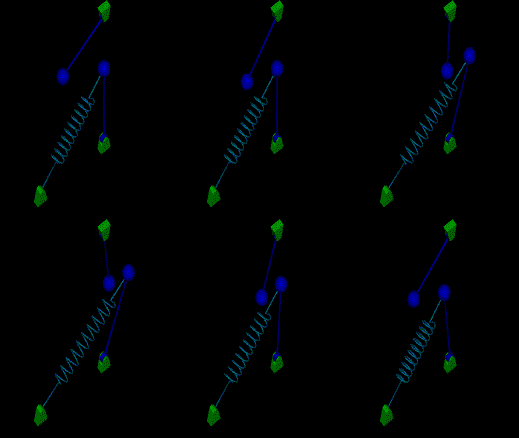 The
contact capabilities available in Motion are a subset of
those available in Motion Professional.
You will use contact capabilities to verify the mechanism motion
generated by contacting parts such as cam, gears, latches, belts,
and chains. In Motion you will model both 3D solid-to-solid
and 2D curve-to-curve contacts which provides both flexibility
and efficiency. If you need to plot forces generated by contacting
parts in order to study the effects of a force jolt on joint reaction
loads, size motors/bearings, or get realistic loads for FEA, you
should consider Motion Professional.
The
contact capabilities available in Motion are a subset of
those available in Motion Professional.
You will use contact capabilities to verify the mechanism motion
generated by contacting parts such as cam, gears, latches, belts,
and chains. In Motion you will model both 3D solid-to-solid
and 2D curve-to-curve contacts which provides both flexibility
and efficiency. If you need to plot forces generated by contacting
parts in order to study the effects of a force jolt on joint reaction
loads, size motors/bearings, or get realistic loads for FEA, you
should consider Motion Professional.
Engineering Data
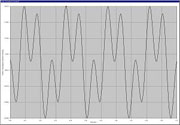 The
engineering data available in Dynamic Designer Motion is
a subset of those available in Motion Professional.
With Motion you will create XY plots containing basic engineering
data including displacements, velocities, and accelerations.
You can generate multiple plots, plot multiple values on one plot,
and export the numerical data to Microsoft Excel. If you need force
related information such as loads, power consumption, and kinetic
energy, you should consider Motion Professional.
The
engineering data available in Dynamic Designer Motion is
a subset of those available in Motion Professional.
With Motion you will create XY plots containing basic engineering
data including displacements, velocities, and accelerations.
You can generate multiple plots, plot multiple values on one plot,
and export the numerical data to Microsoft Excel. If you need force
related information such as loads, power consumption, and kinetic
energy, you should consider Motion Professional.
Cams and gears
 The
cam and gear capabilities in Dynamic Designer Motion are
a subset of those available in Motion Professional.
Using Motion you will model both kinematic cams/gears
as well as dynamic contact-driven cams/gears. Through animations
and XY plots of basic engineering data you will verify system motion
and identify events like cam liftoff and gear backlash.
If you need associated force information to understand the relationship
of liftoff to reaction loads, how a spring/damper effects cam performance,
or how backlash may effect part breakage, you should consider Motion Professional.
The
cam and gear capabilities in Dynamic Designer Motion are
a subset of those available in Motion Professional.
Using Motion you will model both kinematic cams/gears
as well as dynamic contact-driven cams/gears. Through animations
and XY plots of basic engineering data you will verify system motion
and identify events like cam liftoff and gear backlash.
If you need associated force information to understand the relationship
of liftoff to reaction loads, how a spring/damper effects cam performance,
or how backlash may effect part breakage, you should consider Motion Professional.
Constraints/Joints
Mechanisms have parts connected, or constrained, together and move according to the connection. For example, a pendulum can rotate in a single plane relative to the part to which it is connected. Motion Professional offers a comprehensive list of constraints (or joints) to connect parts together. Examples include hinge (revolute), slider (translational), universal, ball (spherical) joints, and many more. If you are concerned about how joint friction will effect your mechanism you will need Motion Professional.
Mechanism Animation and Moving Interference Detection
Animations and interference detection are fundamental to understand the functional performance of a mechanism. Consequently, all Dynamic Designer products support these features. Motion leverages the engineering data display capabilities by synchronizing engineering data (displacement, velocity, acceleration) XY plots with the animations. You will use plots and mechanism motion together to identify acceleration abnormalities, motion synchronization issues, and part enveloping problems. For additional technical information please see Motion Professional.
Motion Builder
 Motion Builder technology helps automate the motion simulation
process making it available to even the most causal user. The Intellimotion
builder is a wizard that helps you quickly build motion models.
It logically takes you through each step, asking key questions and
gathering information as it generates the motion model. The resulting
model is ready to put into motion and see the results.
Motion Builder technology helps automate the motion simulation
process making it available to even the most causal user. The Intellimotion
builder is a wizard that helps you quickly build motion models.
It logically takes you through each step, asking key questions and
gathering information as it generates the motion model. The resulting
model is ready to put into motion and see the results.
Motion Browser
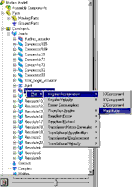
Motion Browser technology helps automate the motion simulation process making it available to even the most causal user. There are two ways to interact with Dynamic Designer Products: through a pull down menu and through the Intellimotion browser. The browser is a seamless extension of CAD tree tools. All Dynamic Designer functionality is available through the tree browser including motion model construction, simulation, and result viewing.
 Quote
Quote Evaluation


